
Editorial Street
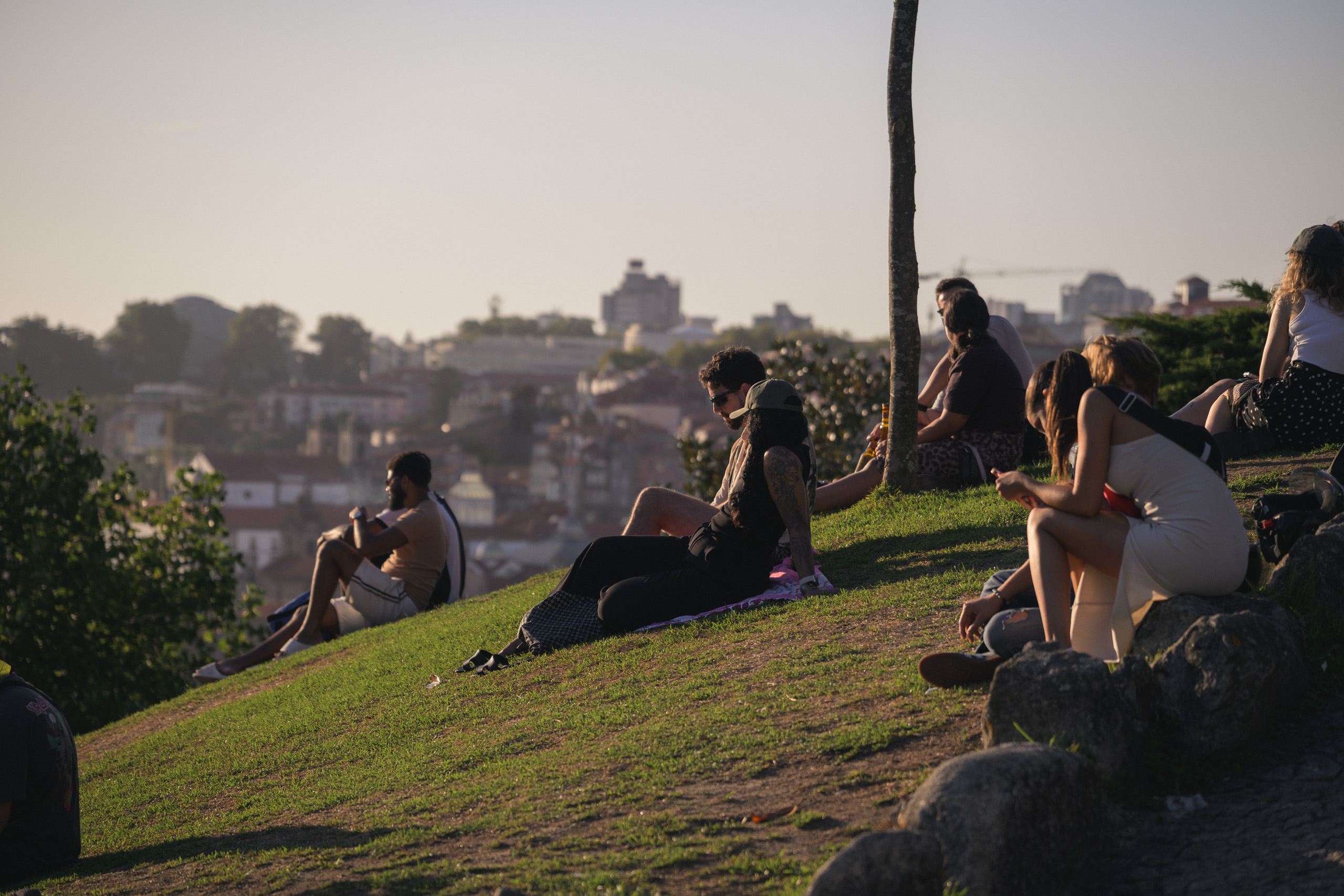
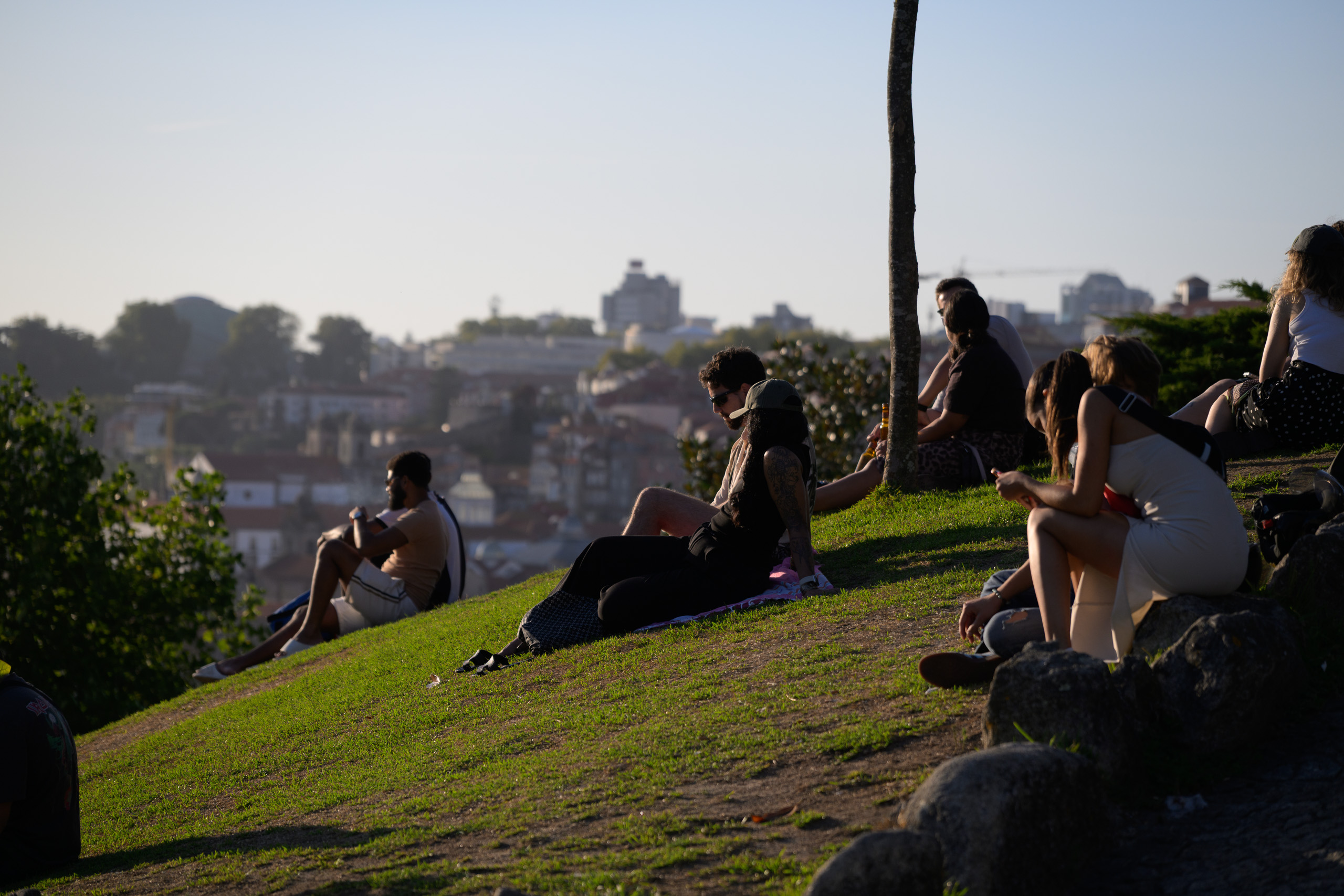 Before
With preset
Before
With preset
Drag across the photograph or use the slider below.
Before: Camera Neutral profile, As Shot white balance and exposure 0. After: Linen Backlight. The same RAW file and crop.
Keep the colour of a street series in your hands.
6 looks, 2 starting bases and 6 tools. Clean street colour, creamy highlights, olive greens and deeper evening contrast.
Price29,00 €
- Contents
- 6 looks · 2 starting bases · 6 tools
- Files
- 14 XMP files in a ZIP archive
- Intended workflow
- Nikon Z8 NEF RAW · Lightroom desktop Windows
- Profile
- Looks set Camera Neutral
- Classic / Mobile
- XMP import; pack results not separately checked
- Guide
- Estonian and English
- Licence
- Single user; editing your own and client photographs
- Sample photographs
- Not included
Before and after
The same photograph before the preset and after editing. Move the divider to compare.
Cream Olive · Open-shade portrait

 Before
With preset
Before
With preset
Drag across the photograph or use the slider below.
Before: Camera Neutral profile, As Shot white balance and exposure 0. After: Cream Olive. The same RAW file and crop.
Urban Teal Amber · Daylight street shade
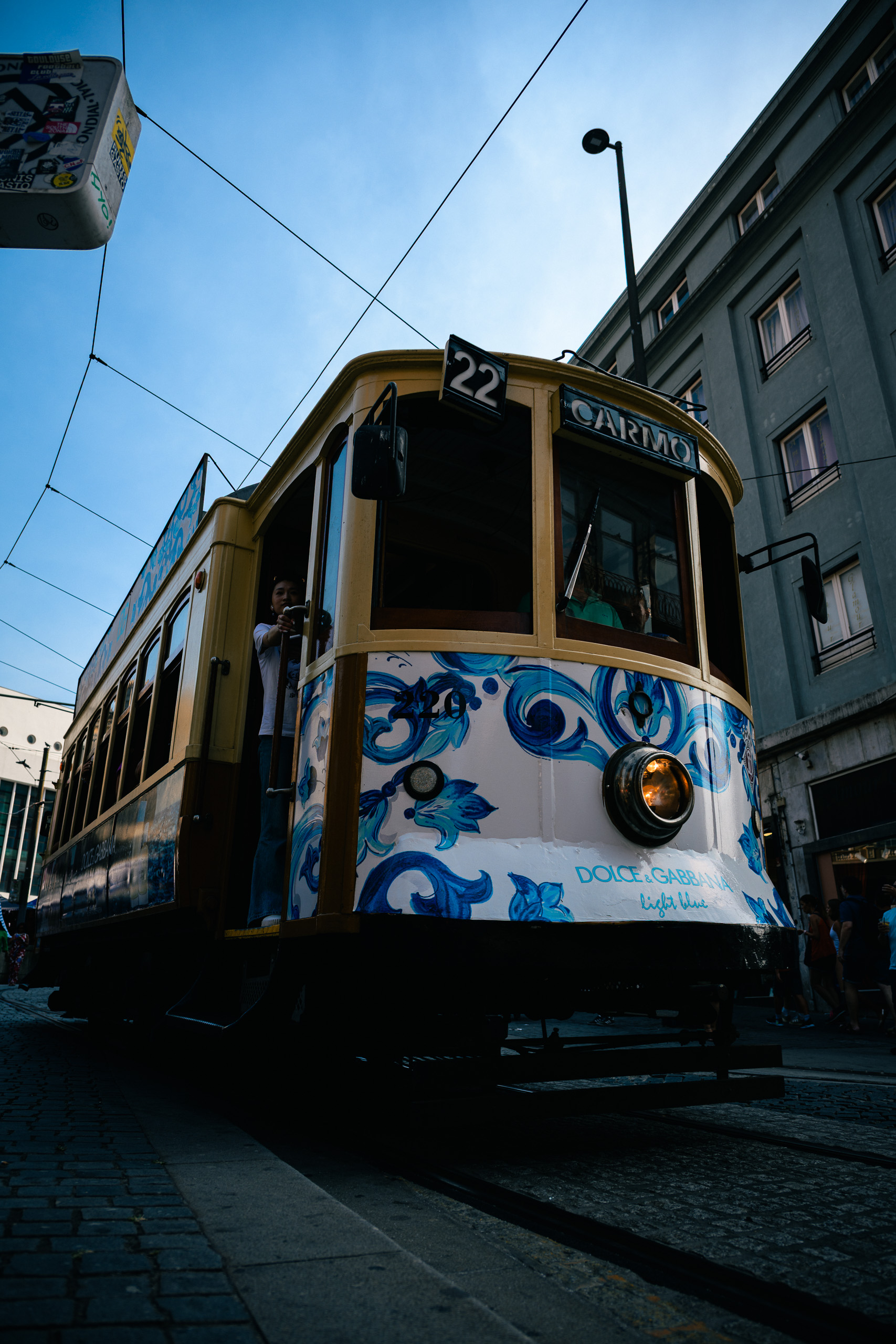
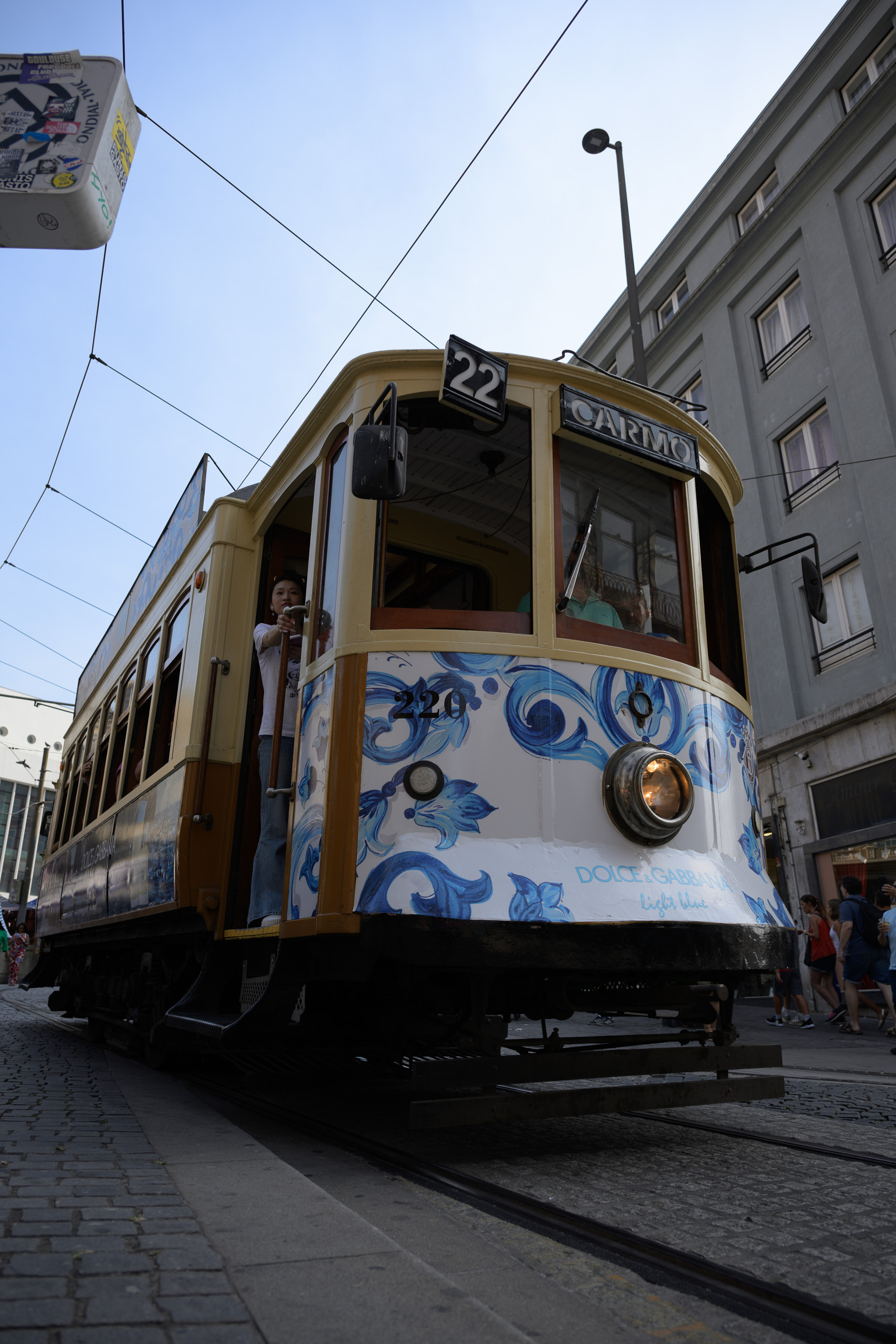 Before
With preset
Before
With preset
Drag across the photograph or use the slider below.
Before: Camera Neutral profile, As Shot white balance and exposure 0. After: Urban Teal Amber. The same RAW file and crop.
The collection
Editorial Street is a compact selection for photographs that bring people, vehicles and urban space together. It includes restrained tones and stronger evening colour, with a manageable number of choices for shaping a series.
Choosing a direction
True Editorial offers a cleaner starting point. Cream Olive quiets greens and warms bright tones towards cream. Linen Backlight takes a softer approach to backlight, while Night Chrome and Urban Teal Amber move towards deeper blacks and cooler shadows.
Inside the pack
6 looks · 2 starting bases · 6 tools.
XMP presets in a ZIP archive, with an Estonian and English guide and a usage licence. Sample photographs are not included.
Working with the pack
The two bases can also be starting points for manual editing. A complete look may replace some of their settings. Six separate tools adjust the black point, greens, warm highlights, cool shadows or grain.
The presets leave whole-image exposure and white balance to you. Tools replace the settings stored within them; they are not separate layers. Check sharpening and optics after applying a look, as some files also change those settings.
Before choosing
Blacks Deep and Blacks Soft are alternatives: applying one after the other replaces the black-point choice. The pack contains no AI masks. For colour-critical work, pay particular attention to changes in reds, greens and skin.
The look presets set the Camera Neutral profile. Its availability depends on the camera’s RAW file; the same starting point cannot be promised for JPEG or HEIC photographs.
Before you buy
What is the difference between a base and a look?
A base provides starting settings for further manual editing. A look gives a more complete colour and tonal direction. Applying a look after a base replaces any overlapping settings with the look’s values.
Can I use the pack in Lightroom, Classic and on my phone?
The files use XMP, which Lightroom and Lightroom Classic can import. Lightroom Mobile supports direct XMP import or syncing from Lightroom desktop with the same Adobe account and a suitable subscription. This pack’s results have not been checked separately in Classic or mobile.
Can I use ordinary phone photographs?
This edition is prepared primarily for a Nikon Z8 NEF RAW workflow. Opening it in a mobile app does not automatically establish JPEG or HEIC compatibility. Camera profiles, source files and app capabilities affect the result; phone-photo and HDR workflows have not been confirmed.
How do I install the presets?
Extract the ZIP and import the XMP files through your Lightroom application’s Presets menu. In Lightroom desktop, use File → Import Profiles & Presets. The included guide covers Classic and mobile steps. A precise minimum application version has not been confirmed for this edition.
Can I use these presets on client photographs?
Yes. The single-user licence allows editing your own and your clients’ photographs, including paid work. You may not redistribute or resell the preset files themselves. Full terms are included in the licence and the shop’s sale terms.