
General Library
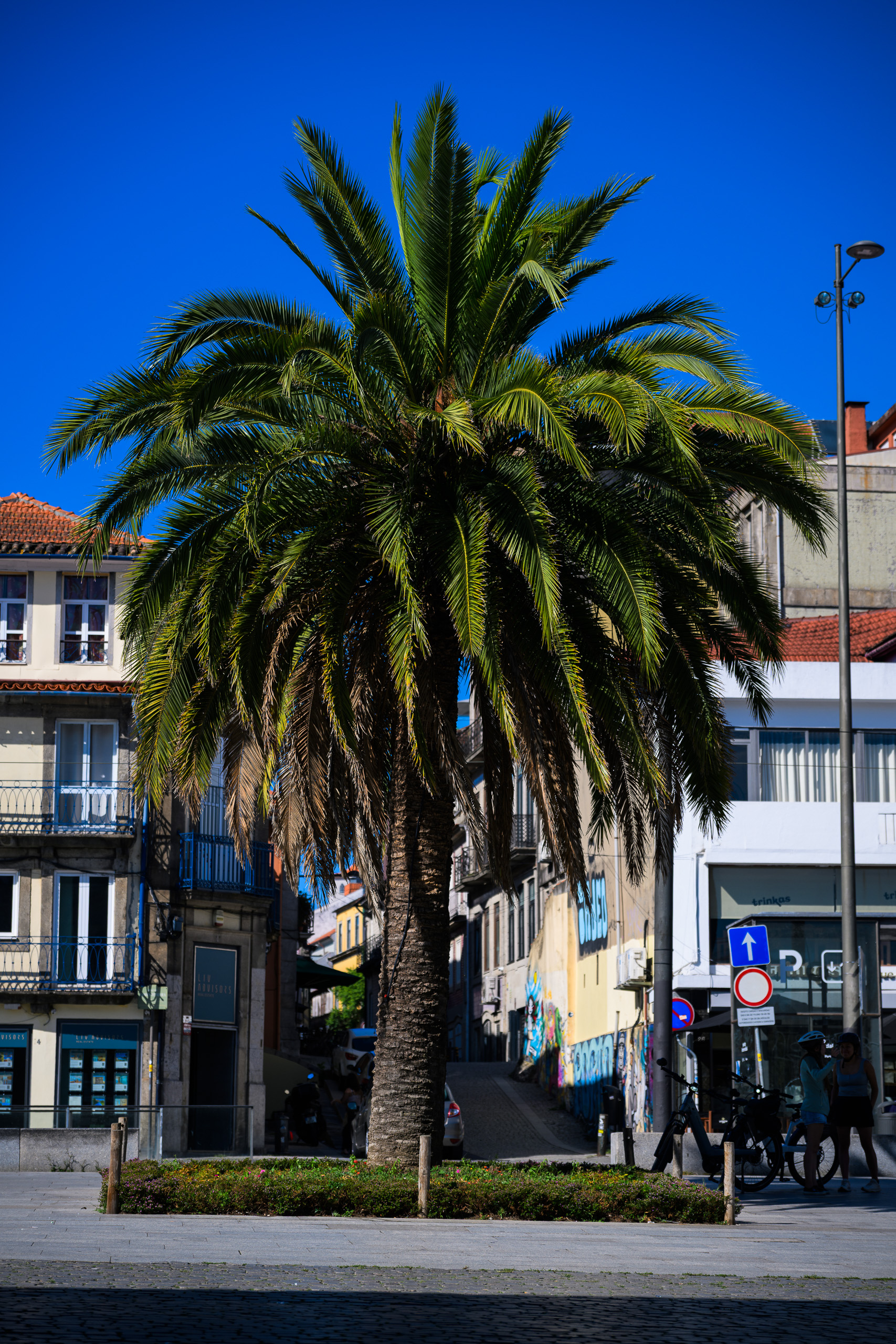
 Before
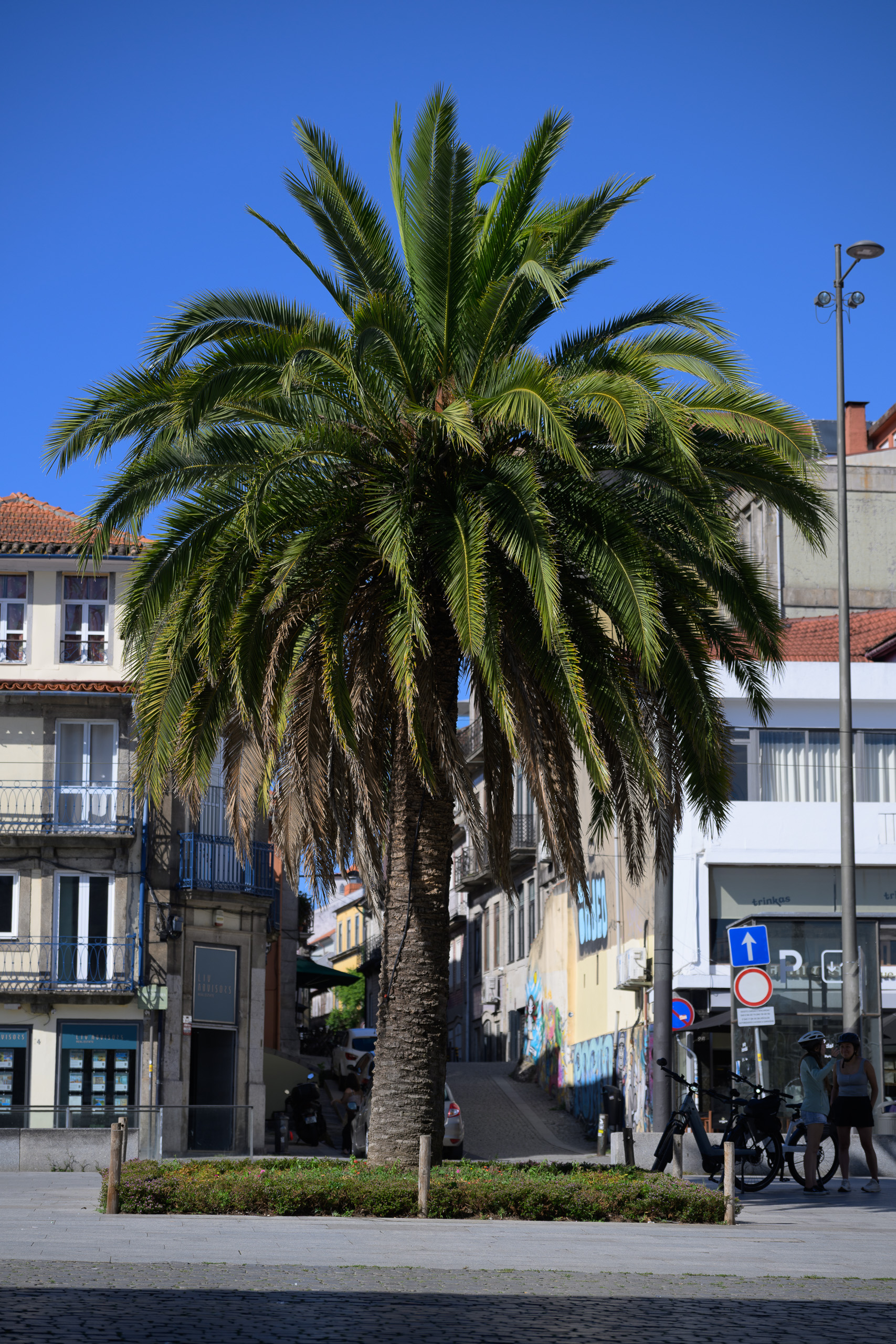
With preset
Before
With preset
Drag across the photograph or use the slider below.
Before: Camera Neutral profile, As Shot white balance and exposure 0. After: Vivid Travel. The same RAW file and crop.
From restrained colour to grainy black and white.
38 looks and 23 light and finishing tools. A broad selection for people, streets and travel, with room to explore different treatments.
Price49,00 €
- Contents
- 38 looks · 23 tools
- Files
- 61 XMP files in a ZIP archive
- Intended workflow
- Nikon Z8 NEF RAW · Lightroom desktop Windows
- Profile
- Looks set Camera Neutral
- Classic / Mobile
- XMP import; pack results not separately checked
- Guide
- Estonian and English
- Licence
- Single user; editing your own and client photographs
- Sample photographs
- Not included
Before and after
The same photograph before the preset and after editing. Move the divider to compare.
Clean Editorial · Open-shade portrait

 Before
With preset
Before
With preset
Drag across the photograph or use the slider below.
Before: Camera Neutral profile, As Shot white balance and exposure 0. After: Clean Editorial. The same RAW file and crop.
Gold Day · Golden morning backlight

 Before
With preset
Before
With preset
Drag across the photograph or use the slider below.
Before: Camera Neutral profile, As Shot white balance and exposure 0. After: Gold Day. The same RAW file and crop.
The collection
Some series call for clean, quiet colour. Others are carried by deeper blacks, warmer light or visible grain. General Library brings these choices into one Lightroom preset pack so you can find a direction for your photographs.
Choosing a direction
Clean Editorial and Neutral Documentary offer restrained starting points. Vivid Travel deepens blue skies and increases colour throughout the image. Analog Lab moves from soft negative-film character to vivid slide-inspired colour and faded prints. Night and black-and-white looks provide separate choices for city lights, gestures and contrast.
Inside the pack
38 looks · 23 tools.
XMP presets in a ZIP archive, with an Estonian and English guide and a usage licence. Sample photographs are not included.
Working with the pack
Start with one look. Once the colour is in place, use a separate tool to reduce saturation, adjust highlights or choose grain. The light tools do not diagnose the photograph automatically: select the adjustment your image needs.
The presets leave whole-image exposure and white balance to you. Tools replace the settings stored within them; they are not separate layers. Check sharpening and optics after applying a look, as some files also change those settings.
Before choosing
This is a broad editing library, rather than a single treatment for an entire catalogue. Strong colour shifts are unsuitable when product or reproduction work requires accurate colour. Mixed-light white balance and exposure in very dark images still need individual attention.
The look presets set the Camera Neutral profile. Its availability depends on the camera’s RAW file; the same starting point cannot be promised for JPEG or HEIC photographs.
Before you buy
Are all 61 presets separate colour looks?
No. There are 38 complete looks and 23 separate tools for light, contrast, colour and grain. Apply a tool after your chosen look when the photograph needs that adjustment.
Can I use the pack in Lightroom, Classic and on my phone?
The files use XMP, which Lightroom and Lightroom Classic can import. Lightroom Mobile supports direct XMP import or syncing from Lightroom desktop with the same Adobe account and a suitable subscription. This pack’s results have not been checked separately in Classic or mobile.
Can I use ordinary phone photographs?
This edition is prepared primarily for a Nikon Z8 NEF RAW workflow. Opening it in a mobile app does not automatically establish JPEG or HEIC compatibility. Camera profiles, source files and app capabilities affect the result; phone-photo and HDR workflows have not been confirmed.
How do I install the presets?
Extract the ZIP and import the XMP files through your Lightroom application’s Presets menu. In Lightroom desktop, use File → Import Profiles & Presets. The included guide covers Classic and mobile steps. A precise minimum application version has not been confirmed for this edition.
Can I use these presets on client photographs?
Yes. The single-user licence allows editing your own and your clients’ photographs, including paid work. You may not redistribute or resell the preset files themselves. Full terms are included in the licence and the shop’s sale terms.