
Põhjala Festival
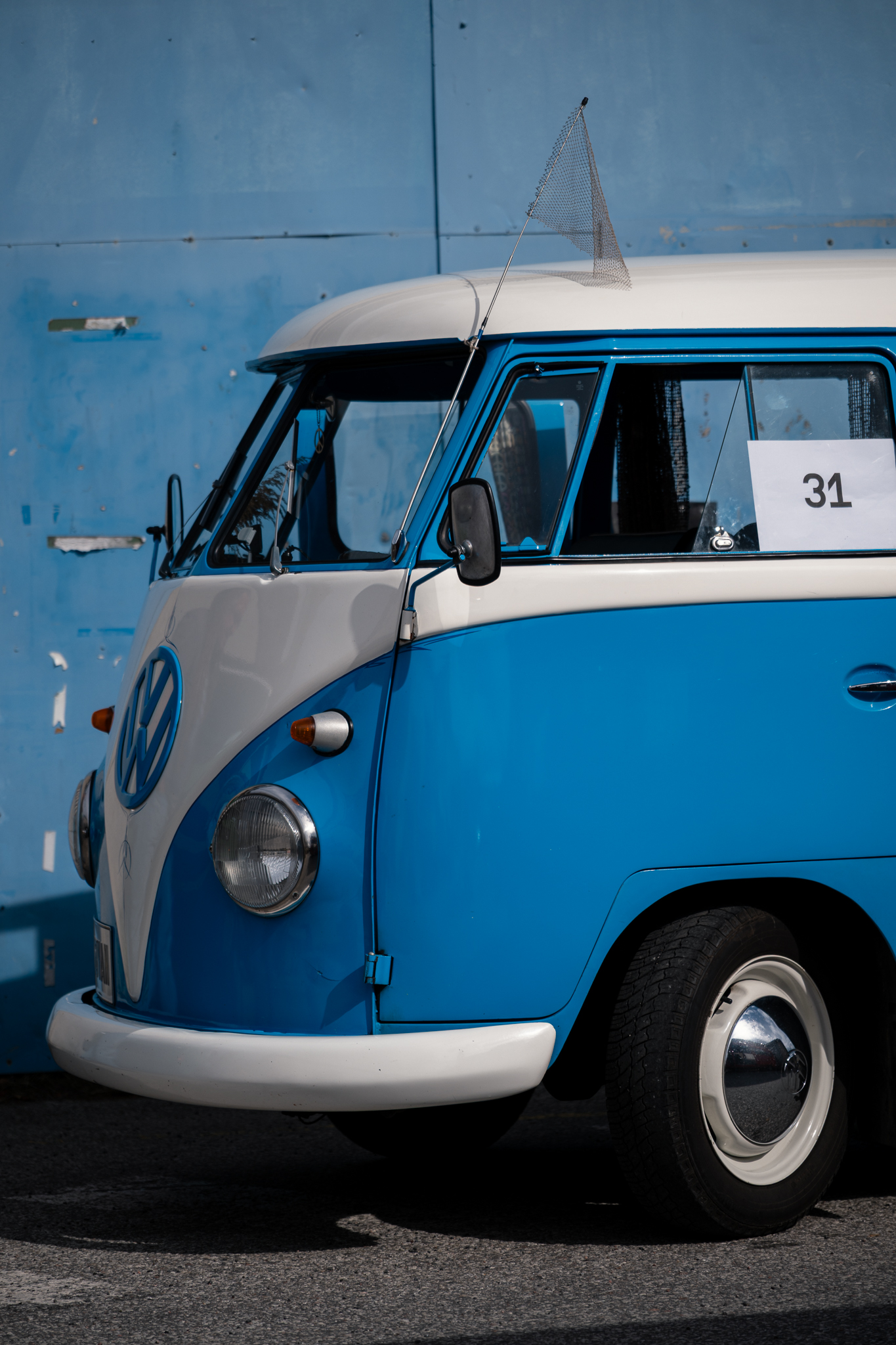
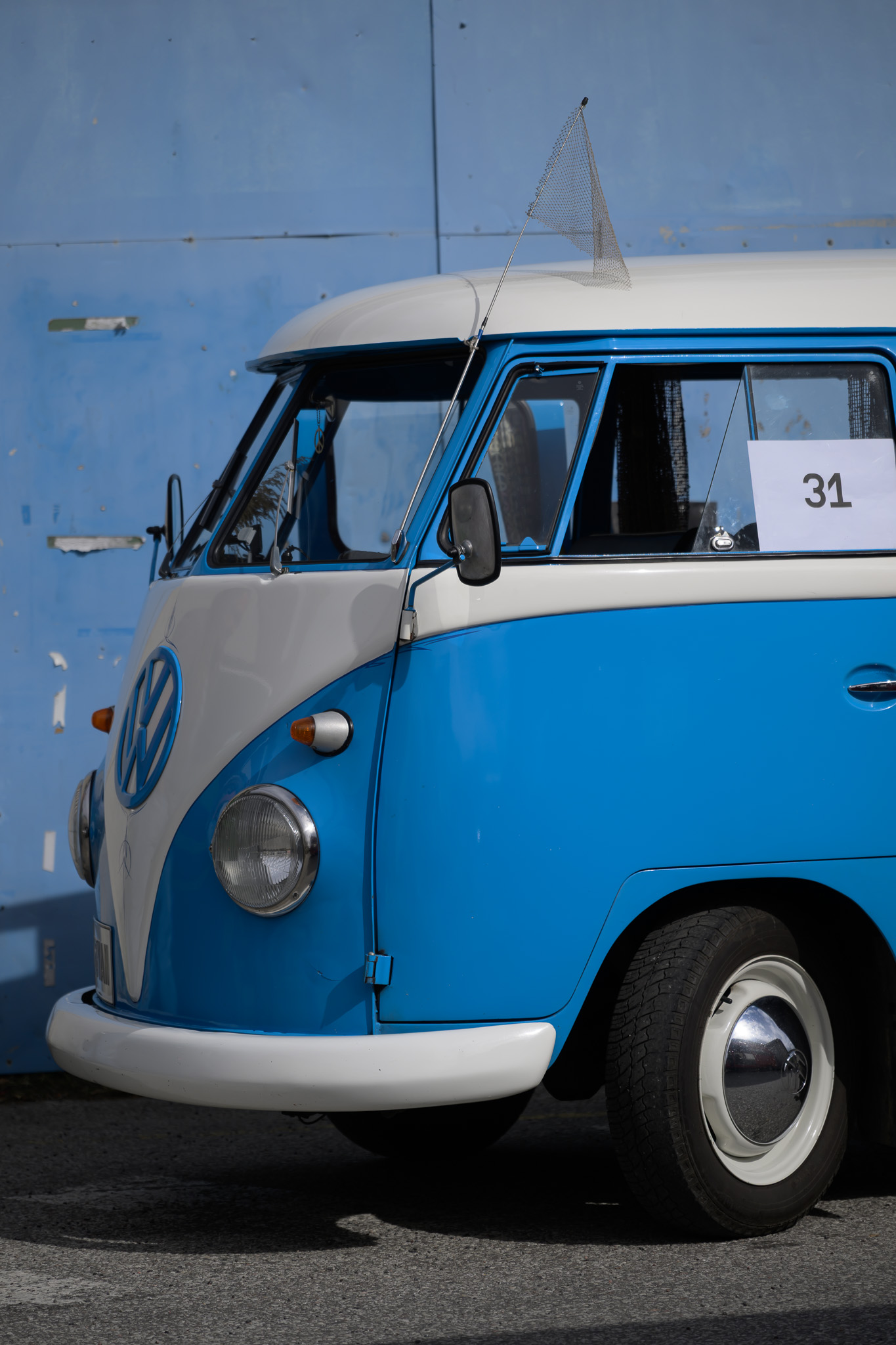 Before
With preset
Before
With preset
Drag across the photograph or use the slider below.
Courtyard Sun · Nikon Z8 RAW. Editing example with the ISO 64 detail base and exposure +0.45 EV. Before: the same RAW with Lightroom initial rendering (Camera Neutral, As Shot).
Lightroom presets
Warm, restrained treatments for outdoor scenes, people and window-lit interiors. Six looks, four finishing tools and a Nikon Z8 ISO 64 detail base.
Price29,00 €
- Contents
- 6 looks, 4 finishing tools (including 2 AI masking tools) and 1 technical detail base
- Files
- 11 XMP presets in a ZIP archive
- Checked workflow
- Adobe Lightroom desktop on Windows; Nikon Z8 NEF RAW; ISO 64
- Profiles
- Adobe Color for colour looks; Adobe Monochrome for the black-and-white look
- Guide
- Estonian and English
- Sample photographs
- Not included
Before and after
The same photograph before the preset and after editing. Move the divider to compare.
Window light
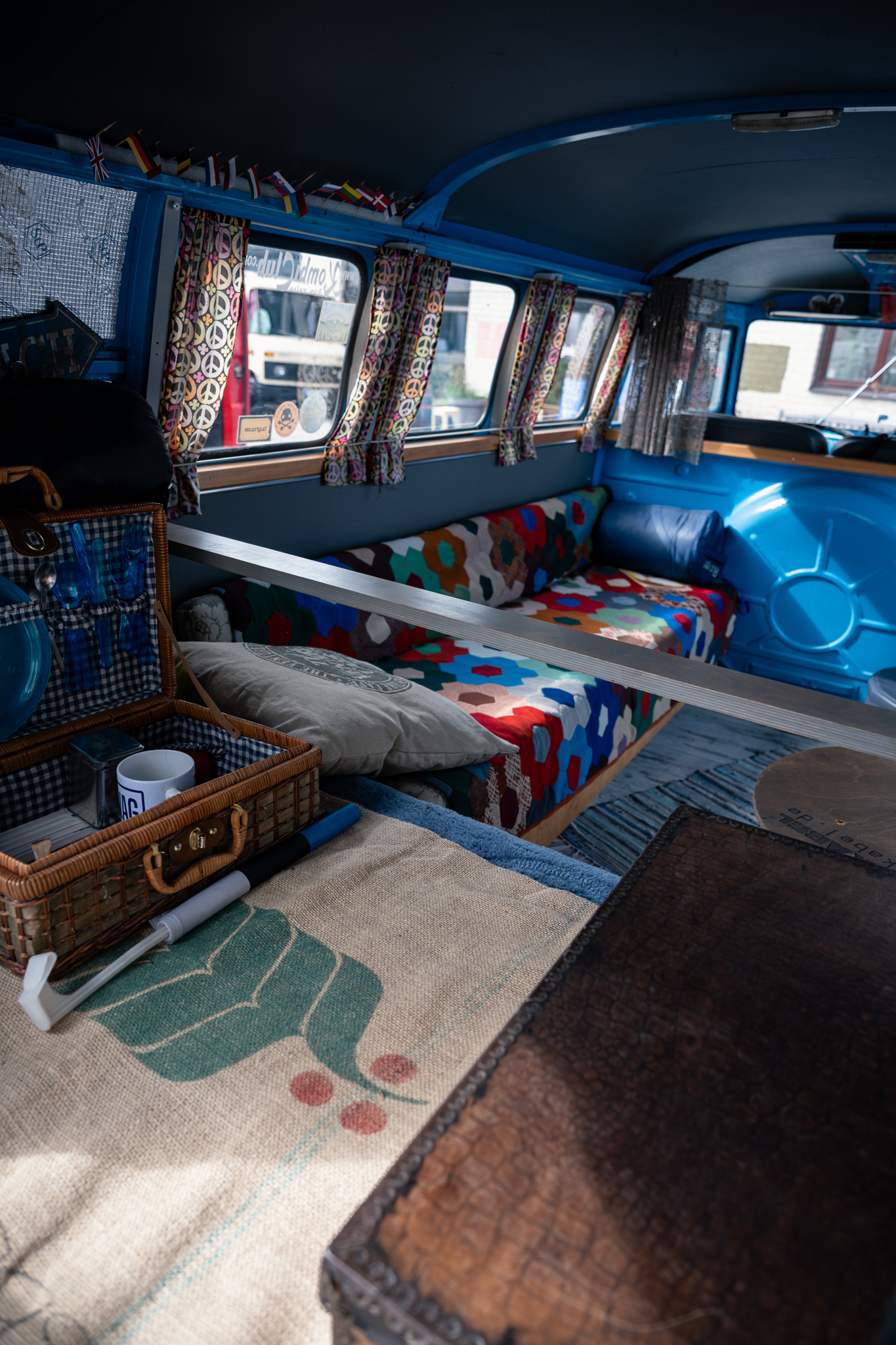
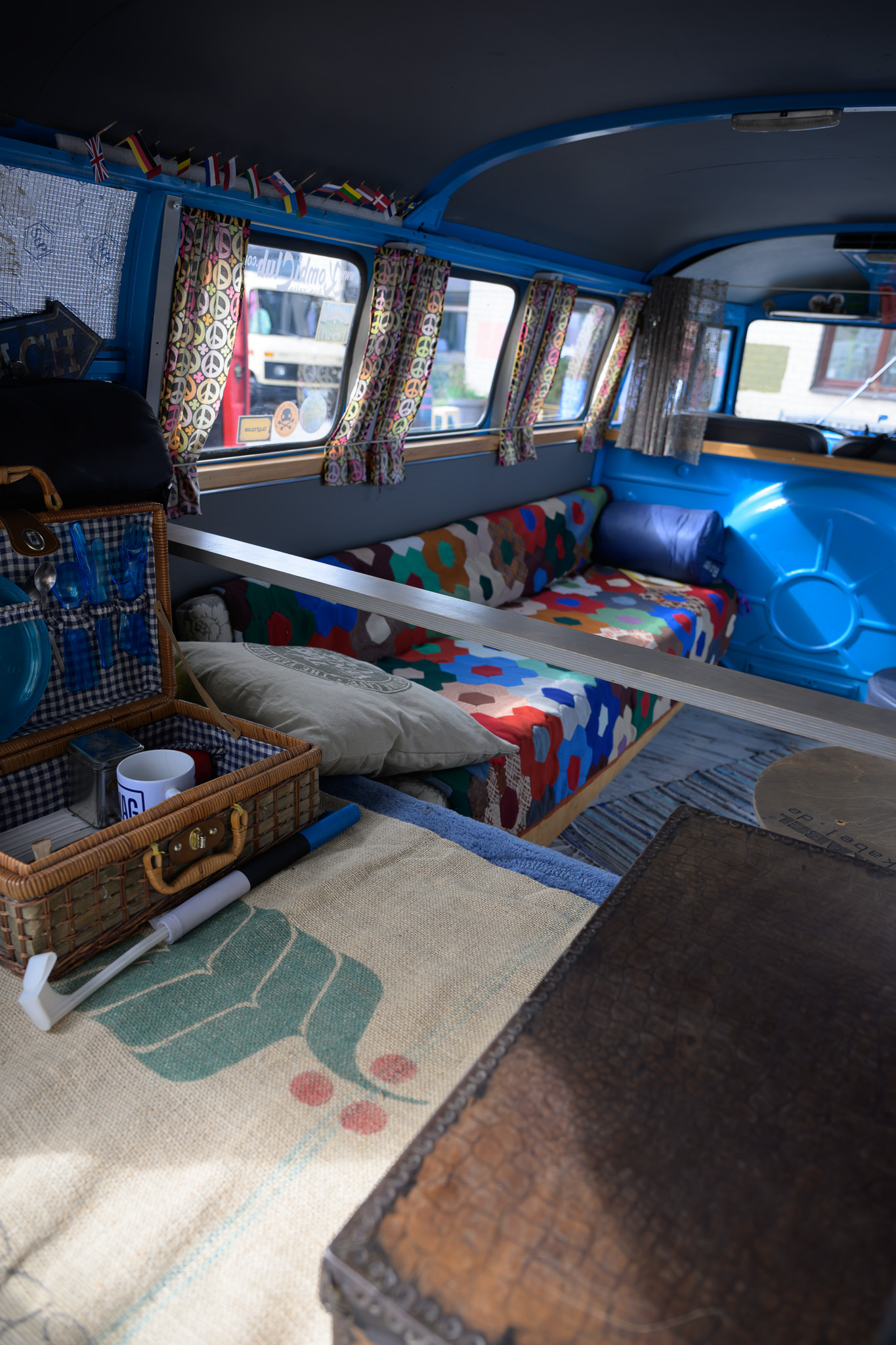 Before
With preset
Before
With preset
Drag across the photograph or use the slider below.
Cabin Window · Nikon Z8 RAW. Editing example with the ISO 64 detail base. Before: the same RAW with Lightroom initial rendering (Camera Neutral, As Shot).
Open shade
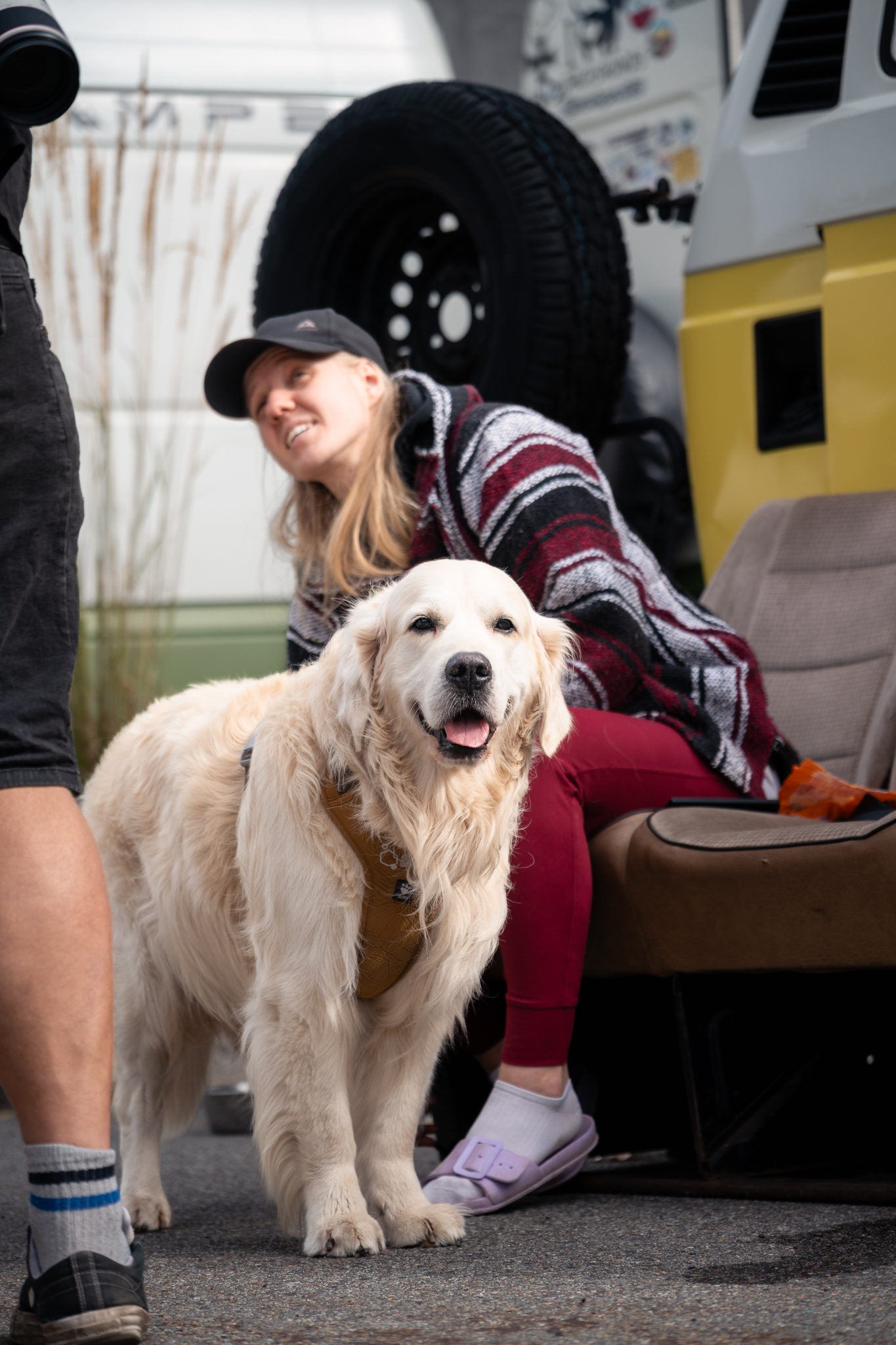
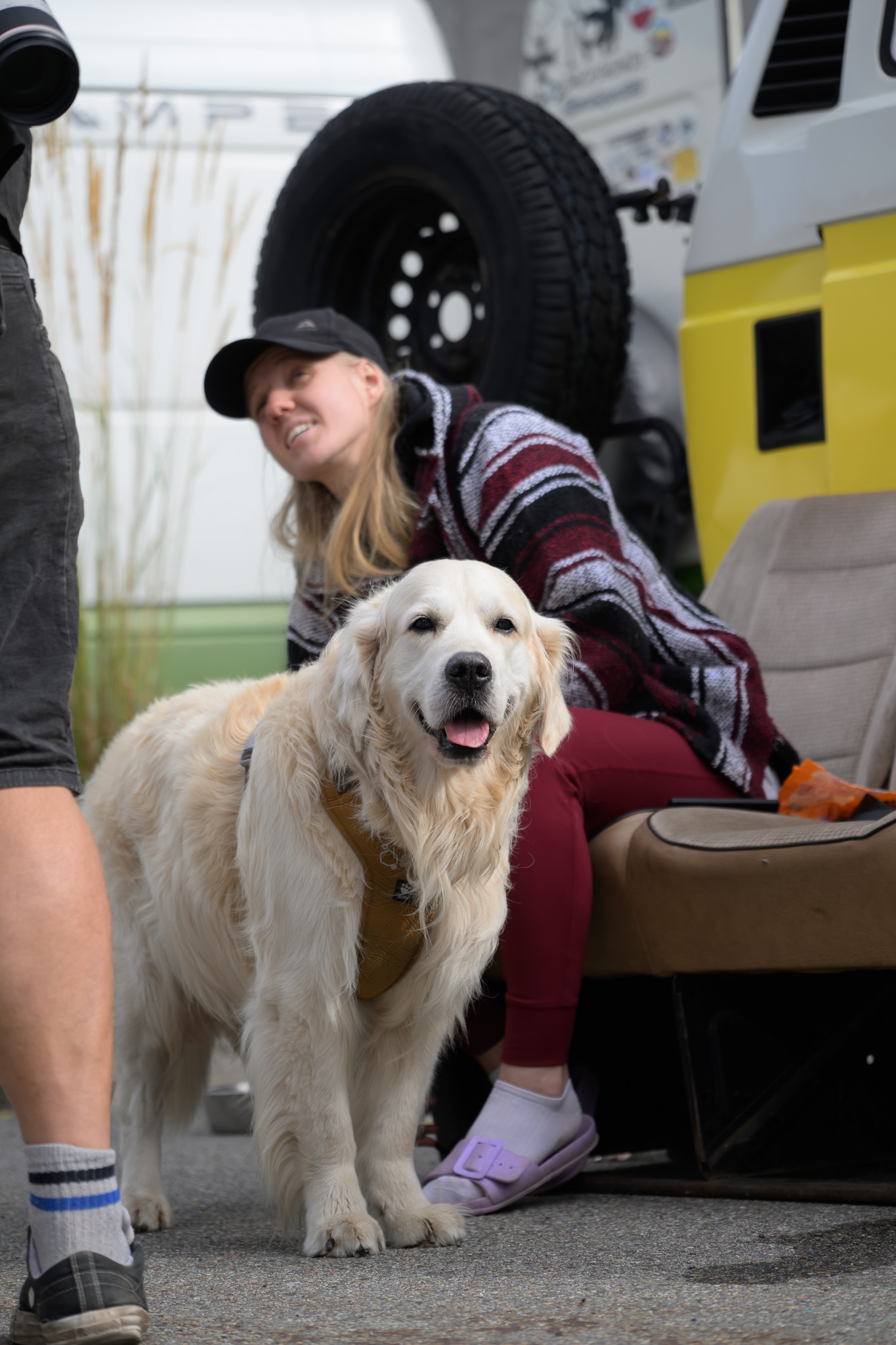 Before
With preset
Before
With preset
Drag across the photograph or use the slider below.
People Open Shade · Nikon Z8 RAW. ISO 64 detail base, Subject mask +0.25 EV and Background mask −0.18 EV. Before: the same RAW with Lightroom initial rendering (Camera Neutral, As Shot).
The collection
Sun on concrete, window light on wood, and people in between. Põhjala Festival is a Lightroom preset pack developed around a photographic series from a self-built camper van festival. It centres on warm, restrained colour and materials that should keep their character in a photograph: worn wood, striped fabric and white bodywork.
The pack contains six looks for different light and moods, four separate finishing tools and a Nikon Z8 ISO 64 detail base. There are 11 XMP files in total, each with a distinct purpose.
A series in changing light
Festival Story is the starting point for outdoor scenes, people and camper vans. As the light changes, choose Courtyard Sun for hard sunlight, People Open Shade for people in softer light, or Cabin Window for window-lit interiors.
Handmade Memory takes a more pronounced vintage direction. Use it selectively for an old dashboard, a patterned fabric or a small everyday detail. Community BW offers a black-and-white treatment for photographs where a gesture, glance or reflection carries the story.
Inside the pack
- 6 looks: Festival Story, Courtyard Sun, People Open Shade, Cabin Window, Handmade Memory and Community BW.
- 2 AI masking tools: Subject Open Shade Lift AI to lift the subject and Background Quiet AI to darken the background.
- 2 finishing tools: Window Highlights for bright surfaces and Fine Grain for a fine grain texture.
- 1 technical base: Z8 ISO64 Detail Base for detail settings on low-ISO RAW files from this camera.
- An Estonian and English guide: installation, editing order and a practical explanation of each preset.
Working with the pack
Start by setting exposure and white balance for the photograph. Choose one look and adjust its strength with the Amount slider. Add a finishing tool only where the image needs it. You do not need to apply every preset to a single image.
The look presets leave exposure, white balance and crop to you. The five colour looks use the Adobe Color profile; the black-and-white look uses Adobe Monochrome. Changing the profile also changes the starting point of the treatment. With the AI tools, check which person, animal or background Lightroom has selected.
Window Highlights replaces the Highlights and Whites settings, while Fine Grain replaces the grain settings. These tools set new values rather than adding an adjustment on top of the existing value.
Before choosing
This edition has been checked in Lightroom desktop on Windows with Nikon Z8 ISO 64 NEF files. Its intended settings are daylight outdoors, people in open shade and window-lit interiors.
Compatibility with Lightroom Classic, Lightroom mobile, other cameras, JPEG or HEIF files, and HDR output has not been confirmed for this pack. Z8 ISO64 Detail Base does not adapt noise reduction to the ISO setting.
Mixed light may need separate colour correction. Dark photographs still need individual exposure adjustments, and a preset cannot recover window detail that is missing from the file. The sample photographs show the intended direction; your result depends on the light and starting settings in your own photograph.
Good to know
How many presets are in Põhjala Festival?
There are 11 XMP files: six looks, two AI masking tools, two finishing tools and one Nikon Z8 ISO 64 detail base.
Is ANTI Põhjala 8881 Special Edition included?
No. Special Edition is a separate product with one look used by the author. Põhjala Festival contains the six looks, four tools and detail base listed here.
Which Lightroom application and camera have been checked?
The pack has been checked in Lightroom desktop on Windows with Nikon Z8 ISO 64 NEF RAW files. Compatibility with Classic, mobile and other cameras has not been confirmed.
Can I use the pack on my phone?
Mobile use has not been checked for this pack. This edition was prepared for Lightroom desktop on Windows.
Do the presets set exposure and white balance?
The six look presets leave exposure and white balance unchanged. Set them for the light in your photograph. The two AI tools adjust brightness within the masks selected by Lightroom.
What does Z8 ISO64 Detail Base do?
It provides starting settings for sharpening and noise reduction on Nikon Z8 ISO 64 RAW files. It is not ISO-adaptive and does not replace checking noise in each image.
Are the sample photographs included?
No. The product contains preset files and a guide. Sample photographs illustrate the treatment and are not supplied with the pack.
How do I install the XMP presets?
Extract the ZIP file. In Lightroom, choose File → Import Profiles & Presets, select the pack’s XMP files and choose Import. The included guide explains the editing order.
Usage rights and delivery
One purchase allows one person to use the presets for their photographs and client work. You may publish and sell the edited photographs. You may not share or resell the preset files. The ZIP includes the full licence and installation guide.
This is a digital product. Checkout shows the payment methods and purchase terms before payment and asks for your express consent to receive the files as soon as payment is confirmed.